
AI for Non-Tech Professionals:
Make AI Work for You
You do not need to become a developer to make AI useful. You need a clear problem, a sensible starting point and the judgement to use it well.

You know which report takes longer than it should. You know the questions customers keep asking. You know where a handover breaks down, which information is difficult to find and what your manager needs before making a decision.
That knowledge is a valuable starting point for using AI.
Yet, when the conversation turns to models, agents, integrations and automation, it is easy to feel that someone else belongs in the room.
For a non-technical professional, the first challenge can be seeing a place for yourself in the conversation.
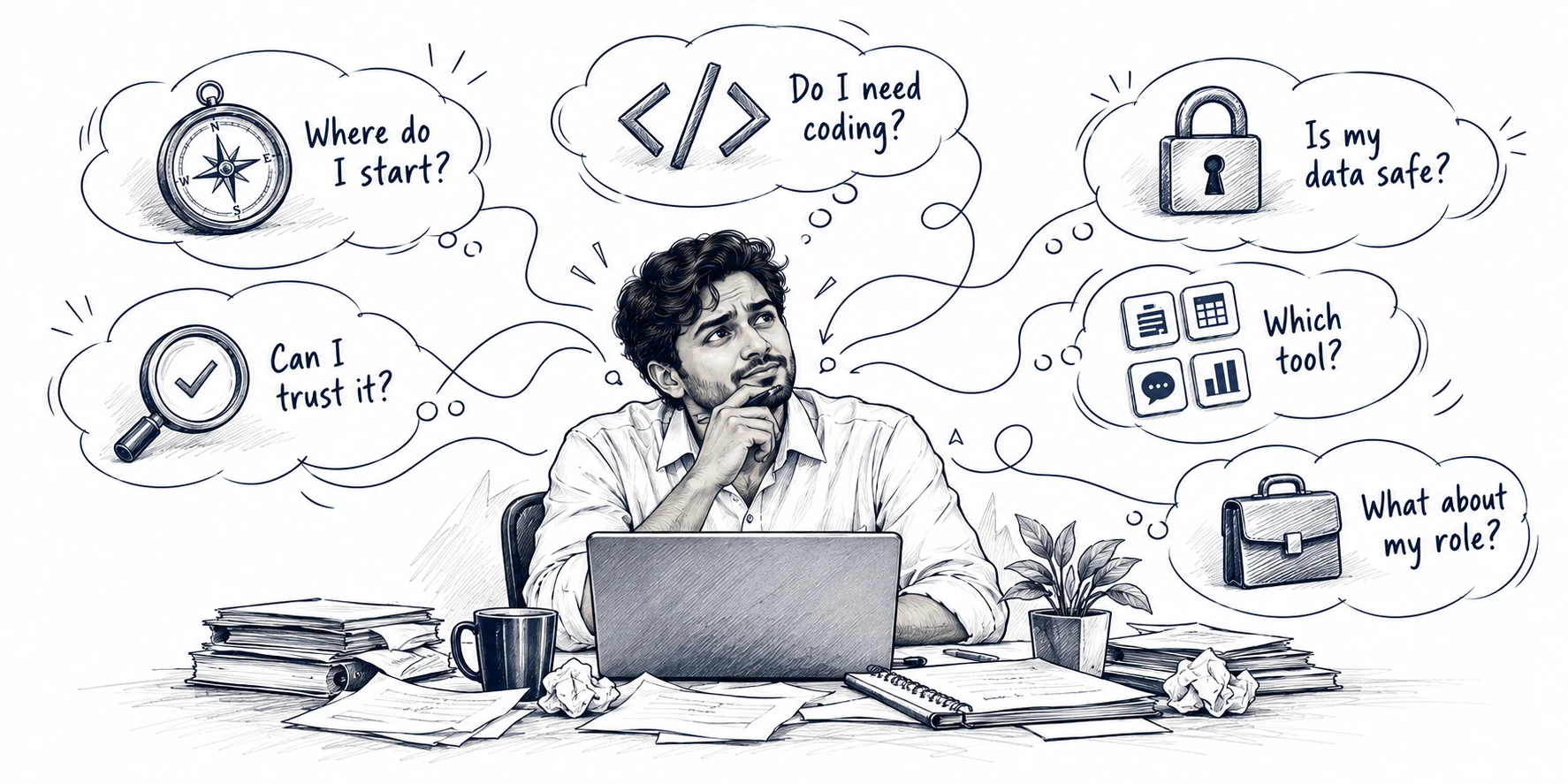
The concerns behind “AI is not for me”
- “I do not know how to code.” Technical language can make everyday applications seem more complicated than they need to be.
- “I tried it. The answers were too generic.” A broad question produces something polished, but it does not fit the audience, task or business context.
- “I cannot afford to make a mistake.” An incorrect figure, misleading explanation or unsuitable customer response can have consequences.
- “I do not know what information I can share.” Uncertainty about customer records, internal documents and confidential data makes experimentation uncomfortable.
- “There are too many tools.” Keeping up with product names can become a distraction from finding one useful application.
- “Will this make my role less relevant?” Efficiency sounds attractive until it raises questions about the value of your own contribution.
These concerns deserve practical answers. A useful learning journey should help people make informed choices and build confidence through relevant work.
The starting point is the work you understand: identify a recurring problem, decide where AI could help, define what good looks like and test a small change with the right safeguards. Your knowledge of the role gives that process direction.
1. Start with a goal for your role
Before asking, “Which AI tool should I learn?”, ask:
“What would help me perform my role better?”
The answer might be preparing more thoroughly for client meetings, responding to routine queries more consistently, finding information faster or spending less time assembling a report.
Choose an outcome that matters to your responsibilities. “Use AI more” is difficult to act on. “Reduce the time spent preparing the first draft of a weekly update while maintaining accuracy” gives you something to investigate.
Also establish your starting conditions. Which tools are approved? Do you have the required access or licence? What information is permitted? Who can clarify the boundaries?
A good idea may need a conversation with your manager or IT team before it needs a prompt.
YOUR FIRST PRACTICAL AI JOURNEY
2. Find opportunities in the work already on your desk
You do not need a grand transformation idea. Two simple exercises can reveal useful starting points.
The five-day task diary
Record the repeat work.
Spot the patterns.
Follow the friction
Trace one process.
Find where work gets stuck.
Method one: keep a five-day task diary
For one working week, record tasks that consume time or interrupt your concentration.
For each, note:
- What am I trying to produce or decide?
- How often does this happen, and how much effort does it take?
- Which inputs do I need, and where do they come from?
- Which part involves searching, summarising, comparing, drafting or checking?
- Which part depends on my judgement, relationships or accountability?
Look for patterns. Perhaps the same kind of information must be summarised repeatedly. Perhaps meeting preparation starts from a blank page. Perhaps several colleagues ask variations of the same question.
A repeated pattern is an opportunity to investigate. It is not automatically a task that should be automated.
Method two: follow the friction
Choose a process you know well and trace it from the first input to the final output.
Where does work wait? Where is information retyped? Where do corrections happen? Where do different teams interpret the same thing differently?
Consider an operations coordinator preparing a weekly update. Writing the commentary may take time, but the bigger problem could be chasing missing inputs and reconciling inconsistent categories.
The response may involve clearer ownership, standardised inputs and ordinary automation, with AI supporting a specific drafting or analysis step.
Understanding where the problem begins helps you choose where AI belongs.
3. Match the opportunity to your role
The same broad AI capability becomes useful in different ways depending on the work.
FIND A STARTING POINT IN YOUR ROLE
Compare all six roles
| Role | A possible starting point | The human contribution that remains essential |
|---|---|---|
| Sales | Prepare a meeting brief from approved account information and verified public sources | Validate account context, understand relationships and decide the approach |
| HR and L&D | Draft role-specific learning scenarios using approved or synthetic examples | Check relevance, fairness, policy accuracy and learning objectives |
| Operations | Draft an exception summary from validated logs | Confirm causes, assess consequences and approve corrective action |
| Finance | Develop an initial explanation of movements in verified figures | Validate calculations, investigate drivers and approve conclusions |
| Customer service | Draft responses using an approved knowledge base | Check policy, recognise sensitive situations and decide when to escalate |
| Administration | Turn permitted meeting notes into a proposed action list | Confirm decisions, owners, deadlines and what may be circulated |
These are starting points for exploration. Their suitability depends on the organisation’s tools, policies, data and risk.
The useful question is specific: “Could this help with this part of my work, under these conditions?”
4. Decide what to assist, what to automate and what to keep human-led
Three questions help narrow the choice.
Automate the rules
Stable triggers, standard actions and clear exceptions.
Assist the thinking
Draft, summarise, organise or explore—with verification.
Keep people accountable
Consequential decisions and relationship-sensitive work.
Does the task have clear rules?
If it follows stable rules—such as sending a scheduled reminder—conventional automation may be enough. AI does not need to be involved simply because a task is repetitive.
Does the task involve language, interpretation or an initial draft?
AI assistance may be worth testing for summarising permitted material, organising ideas, generating alternatives or preparing a first draft. The output still needs an appropriate quality check.
Could an error affect someone’s rights, money, safety or access?
High-consequence work needs stronger controls and specialist involvement. Start with a bounded support task that leaves consequential decisions with authorised people.
For an initial experiment, favour a task that is frequent, limited in scope, permitted and easy to verify. Avoid beginning with unsupervised actions or automatic external communication.
This is the balance between AI and human intelligence: define the contribution of each before deciding how much to delegate.
5. Turn an idea into a small business use case
A credible use case explains the problem, the proposed change and how success will be assessed. It does not need complicated technical language.
From “this takes too long”
to a small, testable proposal.
Use this structure:
Open the use-case planning checklist
| Element | What to capture |
|---|---|
| Problem | The recurring difficulty and who it affects |
| Current approach | How the task happens today, including review and rework |
| Proposed assistance | The specific step AI could support |
| Inputs and boundaries | Approved sources, permitted information and excluded data |
| Human responsibility | Who checks the output and approves its use |
| Success measures | Time, accuracy, rework, turnaround or another relevant outcome |
| Pilot and ownership | A small test, an accountable owner and a review date |
Illustrative example: preparing an internal weekly update
The opportunity is to help a coordinator organise approved, validated inputs into a standard first draft. AI would support structure and wording. The coordinator would verify each statement against the source material, and the manager would approve the update before circulation.
The pilot would compare total preparation, review and correction time across several comparable reporting cycles. Success would require maintained quality and a useful reduction in effort.
That is a business use case: a defined problem, a controlled intervention and evidence to support the next decision.
6. Learn how to brief AI—and how to challenge it
A useful instruction resembles a good brief to a colleague. It explains the task, audience, context, source material, expected format and boundaries.
Instead of “Write my weekly update”, try:
Using only the approved notes below, draft an internal weekly update for the operations manager. Organise it into completed work, unresolved issues and proposed next actions. Keep it under 300 words. Do not invent figures, explanations, owners or deadlines. Flag missing information for review.
This is a practice example; use approved or synthetic inputs in the appropriate environment.
Then assess the response. Does every claim have support? Has it confused a suggestion with an agreed action? Has it omitted an important exception? Could its wording introduce bias or imply certainty the evidence does not justify?
A well-written instruction improves the brief. It does not remove the need to verify the result.
7. Build confidence through a controlled pilot
Test the use case in a small, approved setting.
A SMALL TEST. A CLEAR DECISION.
Your first AI pilot,
with confidence built in.
COMPARE LIKE WITH LIKE
Preparation + review + correction time.
Accuracy, completeness and suitability.
What needed fixing before it was usable?
Start with a baseline. Include the time spent preparing inputs, checking outputs and correcting mistakes. Keep the quality standard consistent and compare similar tasks.
Record what worked, what failed and what had to change. Ask your manager, a Digital Champion or the relevant specialist for support where needed.
The outcome may be to continue, refine the approach, involve IT for a more connected solution or stop because the benefit does not justify the effort.
All four outcomes develop useful judgement.
As the task becomes more complex—particularly when connecting systems, changing access or allowing an agent to take actions—bring in technical and assurance teams. Recognising that point is part of using AI responsibly.
8. Connect better work with professional growth
AI can support growth when it helps you contribute more effectively to the outcomes your role exists to deliver.
TURN CAPACITY INTO CONTRIBUTION
More space for the work
that develops you.
A sales professional might use released preparation time for deeper customer conversations. An HR professional might spend more time understanding learning needs. An operations professional might investigate recurring exceptions instead of repeatedly assembling them into a report.
Those benefits require a deliberate choice about how to use the capacity created. Time saved alone does not guarantee growth, promotion or financial return.
Build evidence of your contribution. Keep a simple application record: the original problem, the approach tested, the safeguards, the observed result and the next improvement. Separate measured outcomes from estimates.
Share useful patterns, help colleagues apply them and keep learning through short practice tasks, peer exchange and reflection between formal sessions.
Over time, the capability becomes broader than operating a tool. It includes defining problems, improving processes, evaluating evidence and bringing people together around a better way of working.
Begin with one task you understand
You do not need to solve the organisation’s entire AI agenda to make a useful start.
Choose one recurring task. Understand the friction. Check the boundaries. Propose a small use case. Test it carefully. Reflect on the result.
Your role knowledge helps you ask better questions, recognise weak answers and decide what useful work should look like. That is how AI begins to become an ally in your development.
A reporting transformation. ↗See how a learning conversation became a connected reporting process.